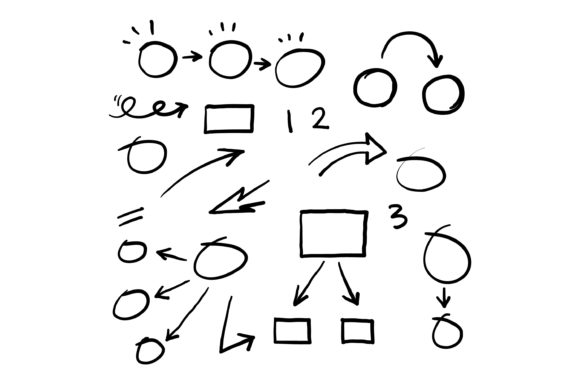
Doodle Squares Circles Arrows: Visual Flow Tools
In the world of visual communication, complexity is often the enemy of understanding. Whether you are designing a corporate infographic, sketching a user journey map, or creating educational content for social media, the most effective visuals usually rely on fundamental geometry. A comprehensive set of hand-drawn squares, circles, and arrows serves as the essential vocabulary for this visual language. These elements are not merely decorative; they are functional tools that guide the eye, organize information, and add a layer of human accessibility to digital design.
When we talk about Doodle Squares Circles Arrows, we are referring to a specific aesthetic that bridges the gap between rigid data and organic storytelling. Unlike perfect vector shapes created with digital precision, hand-drawn variations carry an inherent warmth and approachability. This style signals to the viewer that the content is curated by a person, making complex topics feel less intimidating. For creators and marketers, mastering this collection of basic shapes unlocks the ability to turn abstract concepts into tangible, digestible narratives without requiring advanced illustration skills.
The Psychology of Basic Shapes in Infographics
To use these doodles effectively, it helps to understand what they communicate subconsciously. Each shape carries a distinct semantic weight that can reinforce your message before the viewer even reads the text.
- Squares and Rectangles: These represent stability, structure, and containment. In an infographic, they are best used for defining boundaries, grouping related statistics, or creating frames for text. A hand-drawn square suggests a structured idea that is still flexible and open to interpretation.
- Circles and Ovals: Circles imply unity, wholeness, and focus. They are ideal for highlighting key numbers, representing cycles, or drawing attention to a central concept. Because they have no sharp edges, they soften the overall composition and create a sense of harmony amidst dense information.
- Arrows and Lines: These are the engines of visual flow. Arrows dictate the reading order, show causality, and connect disparate ideas. A wobbly, hand-drawn arrow feels more like a helpful gesture than a mechanical command, guiding the audience through a process or timeline with a conversational tone.
By combining these three elements, you create a visual hierarchy that organizes chaos. The challenge lies in maintaining consistency. If you are using a specific set of hand-drawn assets, ensure the line weight and texture remain uniform throughout the project. Mixing hyper-realistic sketches with loose stick-figure styles can create visual dissonance that distracts from the core message.
Practical Applications Across Industries
The versatility of a doodle asset collection extends far beyond simple decoration. Different professionals can adapt these elements to solve specific communication problems.
For Educators and Trainers
Learning retention increases significantly when text is paired with relevant visuals. Educators can use doodle squares to create modular lesson plans or flashcards. Circles can serve as visual anchors for vocabulary words, while arrows illustrate relationships between historical events or scientific processes. The hand-drawn aesthetic mimics the experience of whiteboard teaching, which helps students feel more engaged and less passive compared to polished slide decks.
For Marketers and Content Creators
Social media feeds are saturated with high-gloss, AI-generated imagery. Hand-drawn elements offer a pattern interrupt that stops the scroll. Use a set of doodle arrows to direct attention to a call-to-action button or link in bio. Create custom carousel posts where circles highlight pain points and squares present solutions. This style works exceptionally well for explaining services, breaking down pricing tiers, or sharing quick tips, as it prioritizes clarity over perfection.
For Business Strategists and Entrepreneurs
Internal communications often suffer from being overly sterile. When presenting a new workflow or organizational change, using hand-drawn diagrams can reduce resistance. A flowchart made of sketchy squares and arrows feels like a collaborative draft rather than a finalized mandate, inviting feedback and discussion. It humanizes corporate strategy and makes stakeholders feel involved in the process rather than subjected to it.
Enhancing Clarity Without Clutter
A common mistake when working with Doodle Squares Circles Arrows is overuse. Just because you have access to a large collection does not mean every element should appear on the canvas. White space is as important as the ink. To keep your infographics effective and audience-friendly, follow these practical guidelines:
- Establish a Grid First: Even hand-drawn aesthetics benefit from underlying structure. Lay out your content in a grid before adding doodles. This ensures your squares align logically and your arrows connect meaningful points rather than wandering aimlessly.
- Limit Your Color Palette: Let the linework do the heavy lifting. Use color sparingly to denote categories or emphasize critical data. Too many colors combined with textured lines can make the design look messy and unprofessional.
- Prioritize Legibility: Never sacrifice readability for style. Ensure there is sufficient contrast between your doodle elements and the background. If placing text inside a hand-drawn shape, make sure the interior is clean enough to support the typography without competing for attention.
- Create Visual Rhythm: Alternate between dense clusters of information and open spaces. Use arrows to create breathing room between sections. This rhythm prevents cognitive overload and keeps the viewer moving through the content at a comfortable pace.
Adapting Style for Digital and Print Formats
The context of your project dictates how you should apply these assets. For digital screens, particularly mobile devices, bold lines and simplified shapes perform best. Intricate hatching or subtle textures may get lost on smaller displays or load slowly if the file size is too large. Opt for cleaner, bolder doodle variations when designing for web or app interfaces.
Conversely, print materials allow for greater detail and texture. On paper, the imperfections of hand-drawn lines become tactile features that add value to the physical object. You can experiment with overlapping shapes, varied stroke widths, and mixed media effects that might be illegible on a screen. For entrepreneurs selling physical products or educators printing worksheets, leveraging this tactile quality can enhance the perceived value of the material.
Building a Cohesive Visual System
Treating your doodle assets as a system rather than isolated clip art elevates the quality of your work. Develop a personal or brand-specific library where every square, circle, and arrow shares the same DNA. This might mean standardizing the corner radius of your rectangles, the curve tension of your arrows, or the grain of your brush strokes.
Consistency builds trust. When your audience recognizes your visual shorthand, they process your content faster. Over time, a specific way of drawing a circular highlight or a directional arrow becomes part of your brand identity. This recognition is invaluable for freelancers and small business owners who need to produce content quickly without reinventing their visual style for every post.
Ultimately, the power of Doodle Squares Circles Arrows lies in their simplicity. They strip away the unnecessary and focus entirely on connection and comprehension. By approaching these basic shapes with intention and strategic thought, you transform them from simple drawings into powerful instruments of communication. Whether you are mapping out a complex business strategy or teaching a new skill, these fundamental forms provide the structure needed to make your ideas resonate clearly and authentically with your audience.